Actions are triggered by alerts.
Mail action
Send a mail, require an SMTP server in the network.
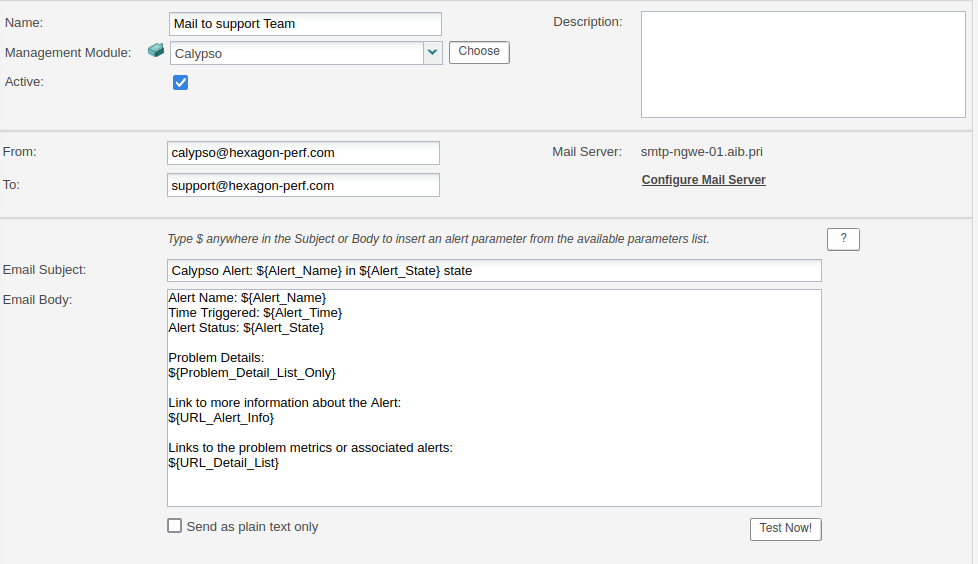
If the SMTP server requires login and password please refer to email action by script
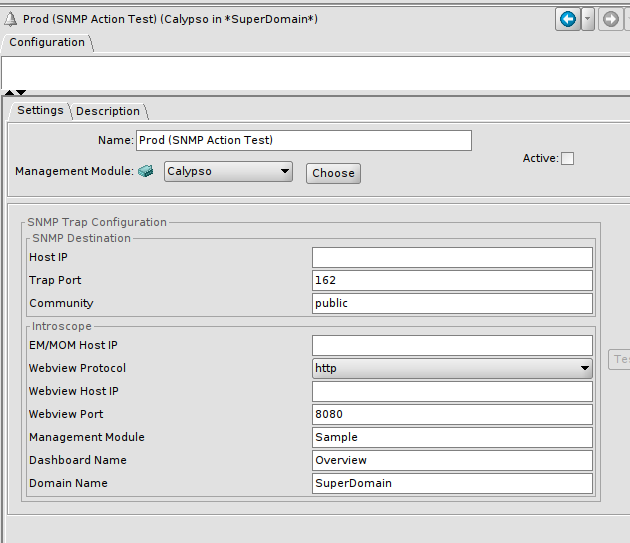
SNMP action
Send an SNMP trap, require an SNMP server in the network.
Can only be configured from workstation.
Script action
Execute a script locally on the HPA server. This script can then call API.
Can be configured from the HPA portal.
Parameters:
- Pass Text to Shell
- EM Name
- EM Host
- EM IP Address
- Alert Name
- Alert Status
- Time — ISO-8601 UTC timestamp of the alert trigger (e.g.
2025-07-22T08:43:30Z) - Agent Name(s)
- Metric Name(s)
- Previous Alert State
- Has Alert State Changed
- Threshold Value
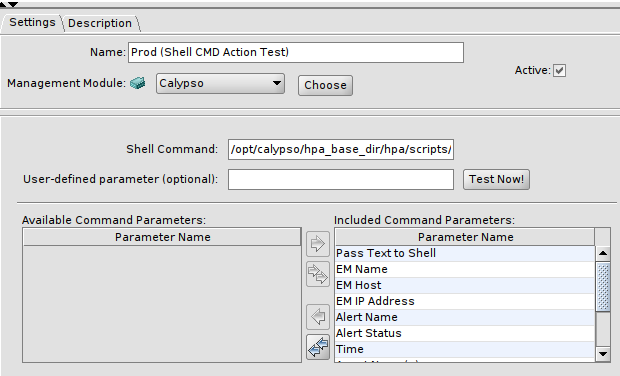
Default scripts to use are available in <HPA base dir>/default_config/alertsscripts/ typically the alert_log_python.sh which is logging alerts content in a log file on the disk
They must be referred that way in the HPA portal shell action creation: ../../default_config/alertscripts/alert_log_python.sh
Client custom scripts can be used, assuming they are stored in <HPA base dir>/override_config/alertsscripts/ and referred consequently
Data collection action
Data collection actions are defined and managed in the HPA Portal.