Keycloak URL
The default keycloak management URL is : https://<portal>/keycloak
Default user
A default user is created in the hexagon-hpa realm on first installation.
The default credentials are :
- Username :
admin - Password :
hexagon
Warning : Change the default password after installation.
Add a local user
Local users are managed directly in Keycloak, without any external identity provider (LDAP or OpenID).
To add a new user :
- Open the
Hexagon-HPArealm - Open
Usersin the left menu - Click on
Add user
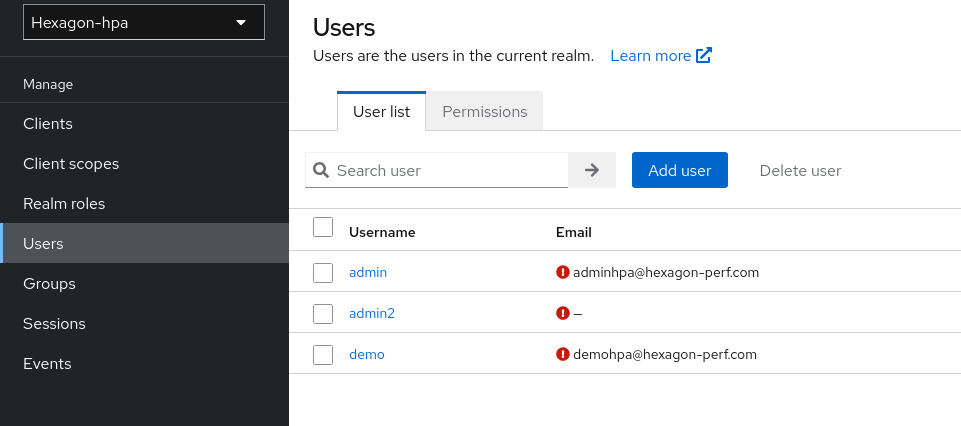
- Fill in the user information :
- Username (required)
- First name / Last name
- Click
Create
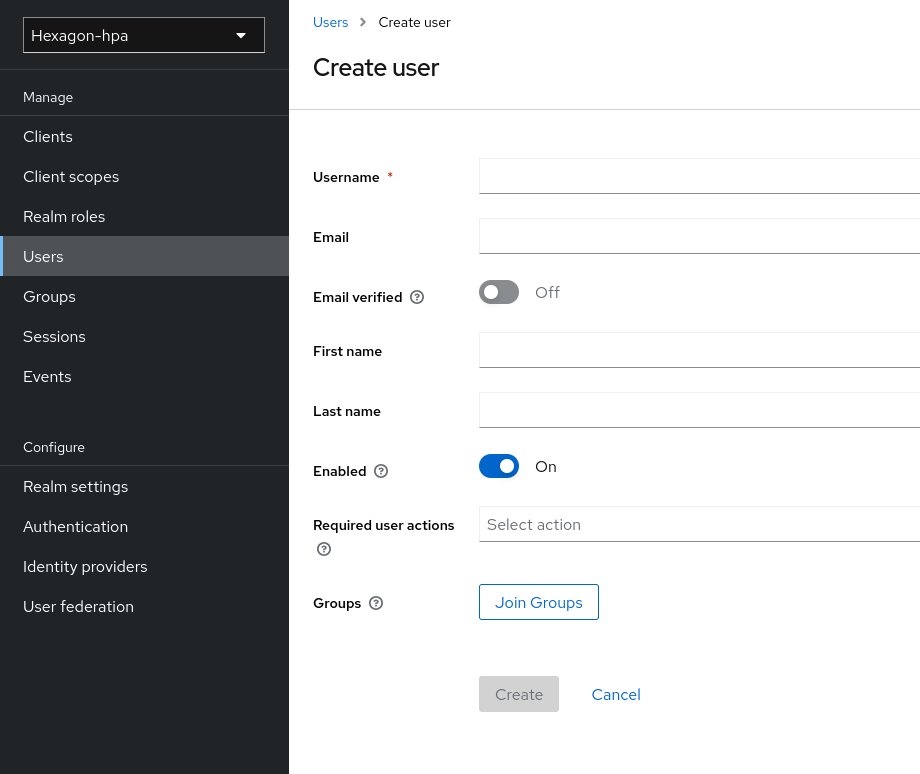
Set a password for a new user
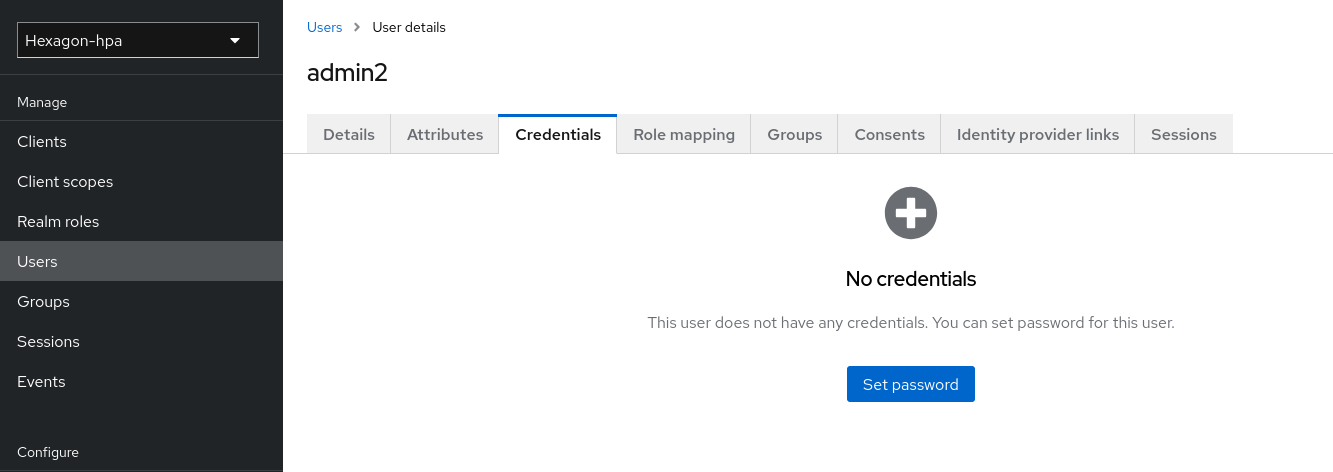
After creating the user, a password must be set manually :
- Open the user detail page
- Go to the
Credentialstab - Click
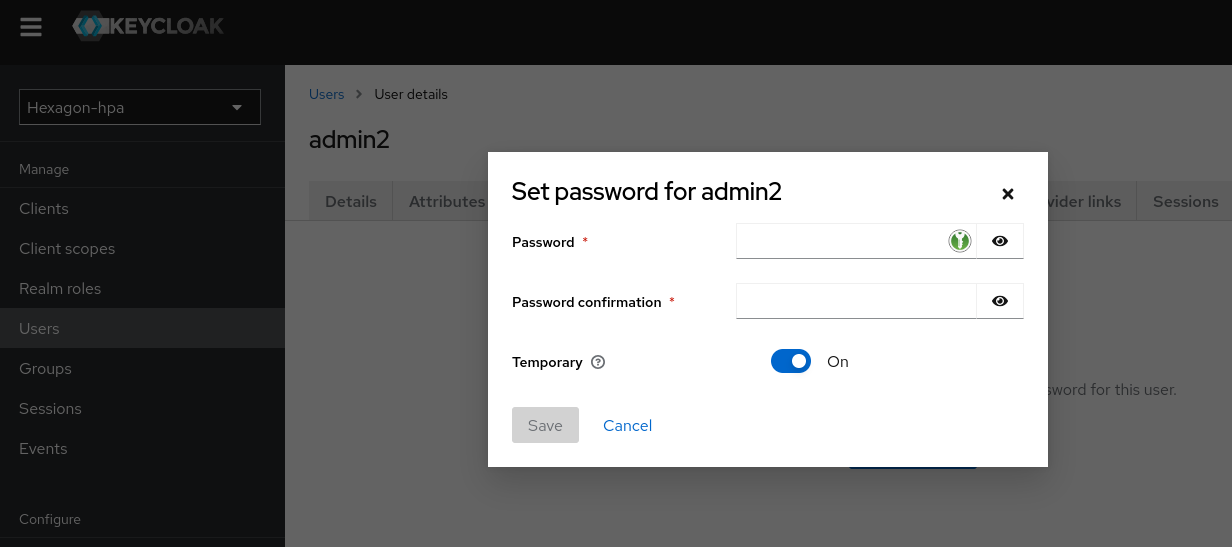
Set password - Enter the password and confirm it
- Set
TemporarytoOffto avoid forcing a password change on first login - Click
Save password
Add admin user
To grant administrator rights to a user, the admin role defined in security.config must be assigned.
By default this role is Admin (variable HPA_ROLE_ADMIN).
- Open the
Hexagon-HPArealm - Open
Usersin the left menu - Select the target user
- Go to the
Role mappingtab - Click
Assign role - Filter by
Filter by clientsand search for thehpa-clientclient roles - Select the
Adminrole - Click
Assign
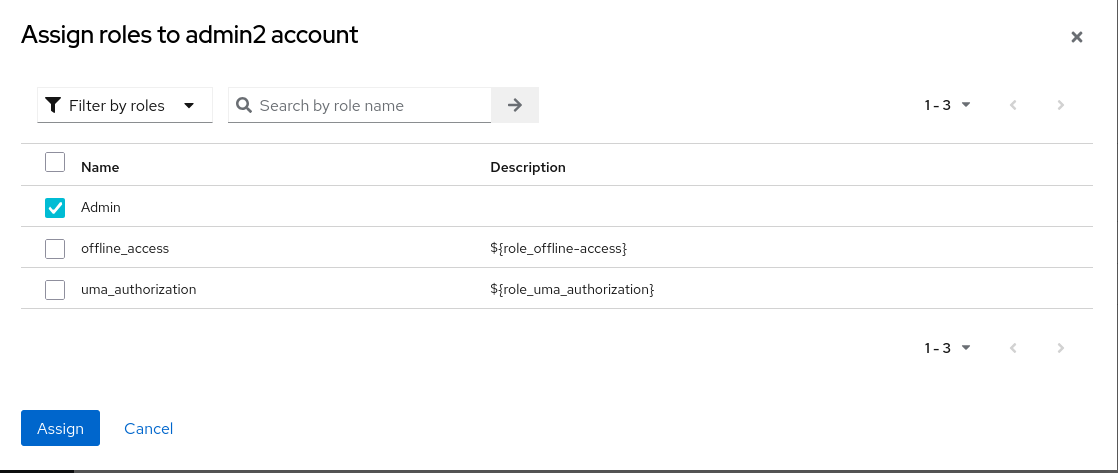
The role name must match the value of
HPA_ROLE_ADMINin security.config.
Change password of a user
- Open the
Hexagon-HPArealm - Open
Usersin the left menu - Select the target user
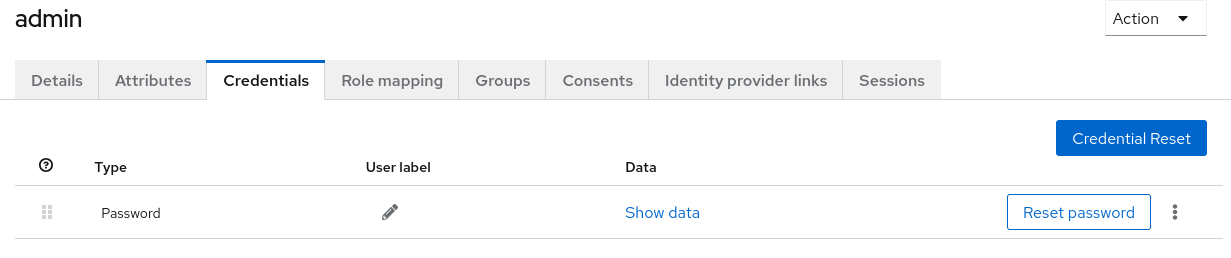
- Go to the
Credentialstab - Click
Reset password - Enter the new password and confirm it
- Set
TemporarytoOffif no password change should be forced on next login - Click
Save password
Remove a local user
- Open the
Hexagon-HPArealm - Open
Usersin the left menu - Click
Delete userat end of the line menu - Confirm the deletion
Warning : Deleting a user is irreversible. The user will immediately lose access to HPA portal and Webview.