Certificates
The protocol used by HPA requires a secure https protocol.
HPA portal produce its own self-certificate on first installation but the best practices is to provide a certificate produced by bank IS, see security config
Keycloak configuration
By default, keycloak exposes its administration portal on [https://
The default user is : admin
The default password is : hexagon
Keycloak realms
The realm master is reserved to Keycloak administration.
The realm hexagon-hpa is the one used by HPA components for the authentication flow, this is the one to configure.
Select the realm to configure it.
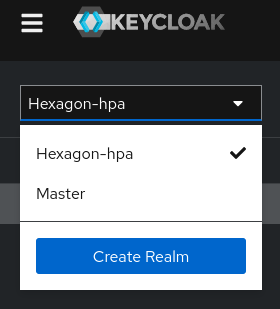
Realm hexagon-hpa
Select the realm hexagon-hpa in the realm list and then click on User federation
Groups
Group/role usage
Since version 2024.01.01, an admin role is required on the portal for :
- Data collection session stop/start
- Alerts management
- Agent settings
Admin role of HPA is stored in security.config in variable
export HPA_ROLE_ADMIN="Admin"
This variable indicates which role of the user will be considered as Administrator.
On Introscope product the profile mechanism is:
- Administrator : can read/write on all domains
- User : can read/write on part of the domains
- Guest : can read on everything.
HPA product does not split the agents in different domains, so only Administrator role is used.
The same variable HPA_ROLE_ADMIN is used.
Group/role definition
Keycloak must return the role to the portal and in the saml client com.ca.apm.webview.serviceprovider
and the openid client hpa-client
IS integration
HPA platform uses Keycloak product to authenticate users against the different components of HPA platform.
Login to keycloak, select realm hexagon-hpa
HPA portal redirect the user to keycloak for the authentication, keycloak can authenticate users with :
Additional notes
Internal flows
HPA components (portal, webview) use keycloak to authenticate user :
- OpenID protocol for HPA Portal
- SAML protocol for HPA Webview
Update to 2024.01.01
See special note for keycloak upgrage for version priori prior to 2024 : upgrading to 2024.01.01