One real DPS followed step by step, from the metrics it selects to the row it returns.
Use case: the average CPU of the DataServer on hex-perf20 during the November 2025 analysis
week, counting only the moments it was busy (10 % or more).
| Field | Value |
|---|---|
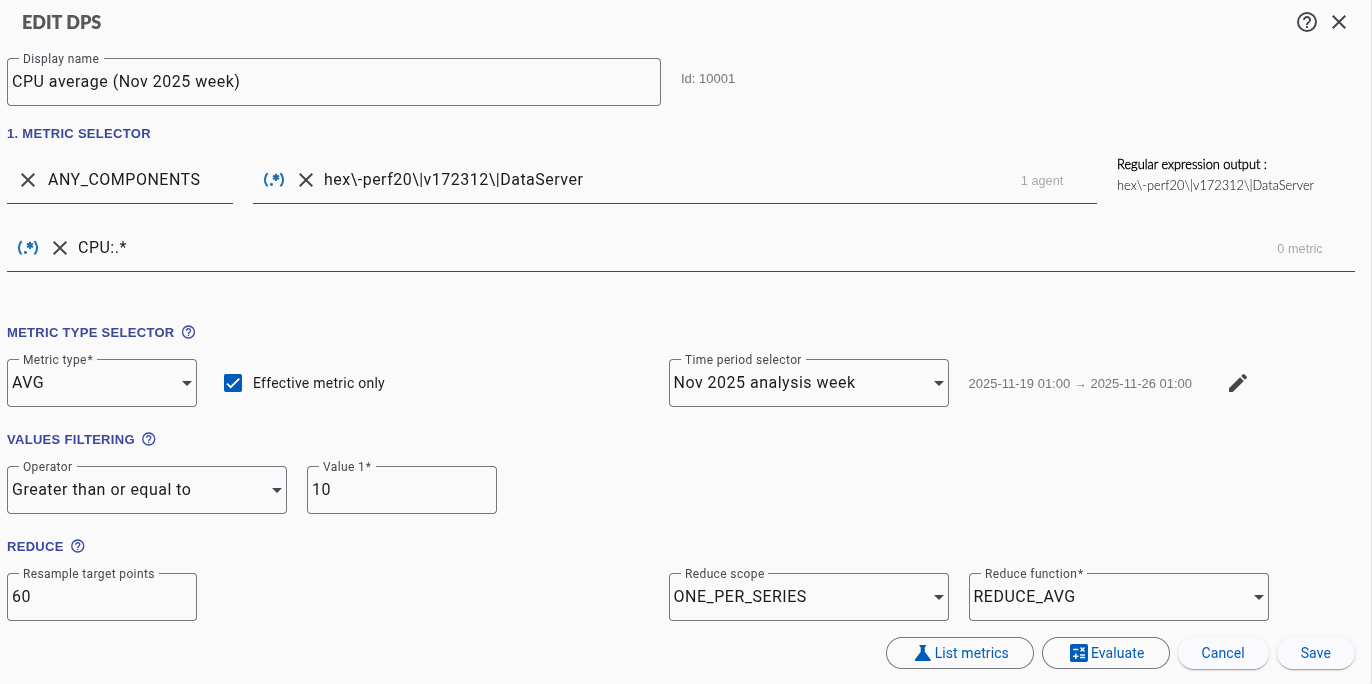
| Display name | CPU average (Nov 2025 week) |
| Agent | hex-perf20|v172312|DataServer |
| Metric name | CPU:.* |
| Metric type | VALUE, Effective metric only checked |
| Operator / Value 1 | Greater than or equal to / 10 |
| Reduce scope / Reduce function | One per series / Average |
| Resample target points | 60 |
| Time period selector | Nov 2025 analysis week: 2025-11-19 01:00 → 2025-11-26 01:00 |
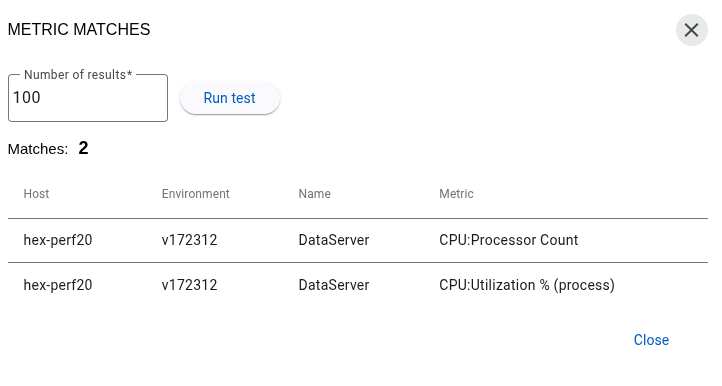
List metrics shows the two metrics the name matches:
| Step | CPU:Processor Count |
CPU:Utilization % (process) |
|---|---|---|
| 1. Metric type VALUE | 8 all the time (the number of cores) | 0 to 95 % |
| 2. Values filtering ≥ 10 | every point removed | the points ≥ 10 kept |
| 3. Reduce One per series, Average | no point left: no value, the series is dropped | average of the points kept |
| 4. Resample | no effect: one value per series | no effect |
| Result | absent | its average |
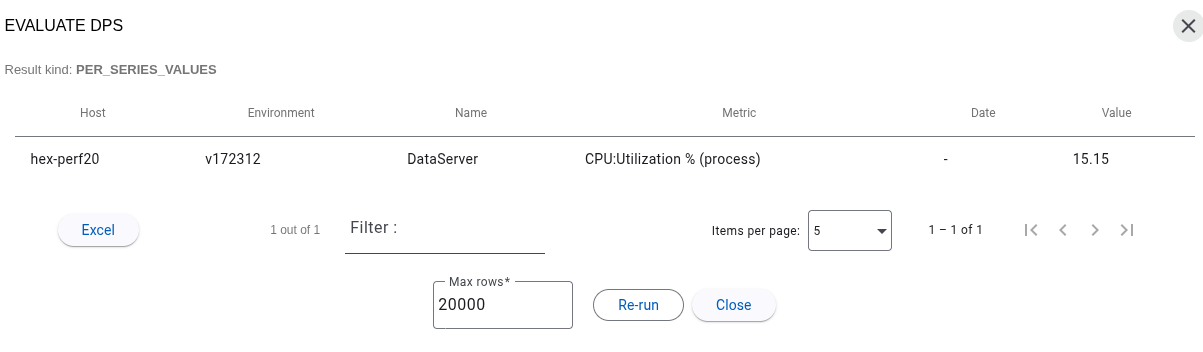
- a series left without any point has no value and is not shown, not even as an empty row
- removing the value filter, or setting it below 8, brings
CPU:Processor Countback in the result